Built a compliance workflow from submission to review
Owners manage 100+ regulatory tasks, while reviewers assess evidence across multiple approval levels. I designed the workflow connecting both sides, now live in production.
OVERVIEW
Team
7 engineers · 1 SME · 2 AI engineers
Year
2026 · 6 months
Problem
One workflow had to support different task types, urgency levels and outcomes, then carry the same work through review and approval without becoming difficult to scan at scale.
Direction
I structured owner work by task type and urgency, then designed different submission forms for each outcome and a separate review flow.
Ownership
Product owner + sole designer. Defined the requirements, designed the owner and reviewer workflows, and implemented the working frontend in Claude Code.
01 · SCALE + VARIATION
One workflow had to support very different tasks
What the workflow had to support
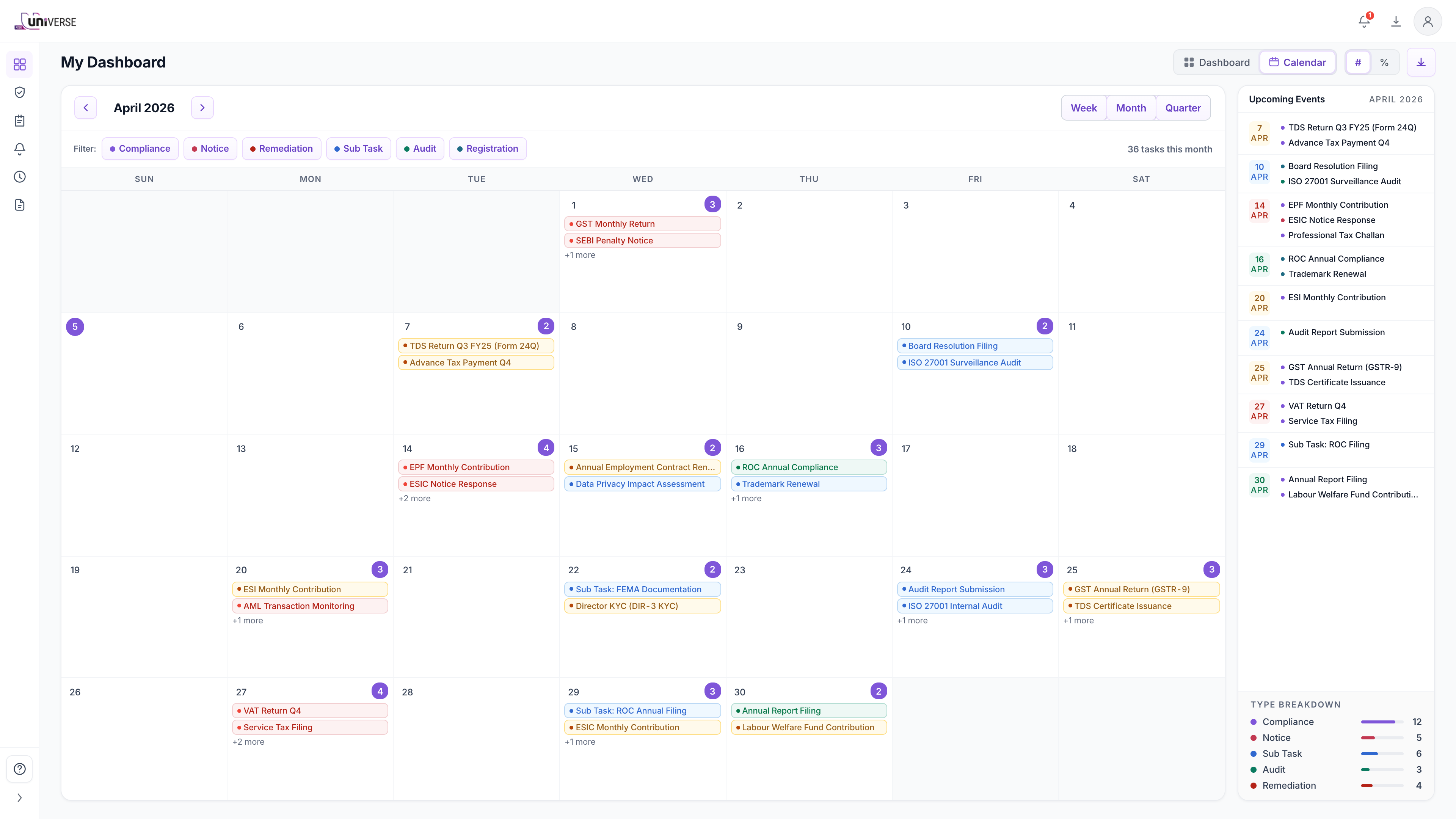
A compliance owner can be responsible for filings, licence renewals, notices and audit actions in a month, each with its own due date. Missing one can lead to penalties or regulatory issues.
The owner submits evidence. Reviewers can approve or reject it, but not edit it, and a submission can pass through multiple review levels. A third-party auditor can later review the task, evidence and approval history, so it must be clear who made each decision.
Defining the product
I worked with a compliance practitioner who had run these processes at Deloitte and PwC and helped build PwC's compliance tools.
I couldn't interview the intended users directly, so I used those sessions to define what owners needed to act on, what reviewers needed to assess, and which urgency signals mattered. That shaped the product structure.
02 · STRUCTURING THE WORK
One list was simpler to build, but harder to use
Rather than designing screens in Figma, I worked directly in Claude Code, using our design-system tokens and CSS and iterating with the compliance practitioner on realistic workflow data.
That let us test genuine compliance complexity without exposing client information.
What the first version exposed
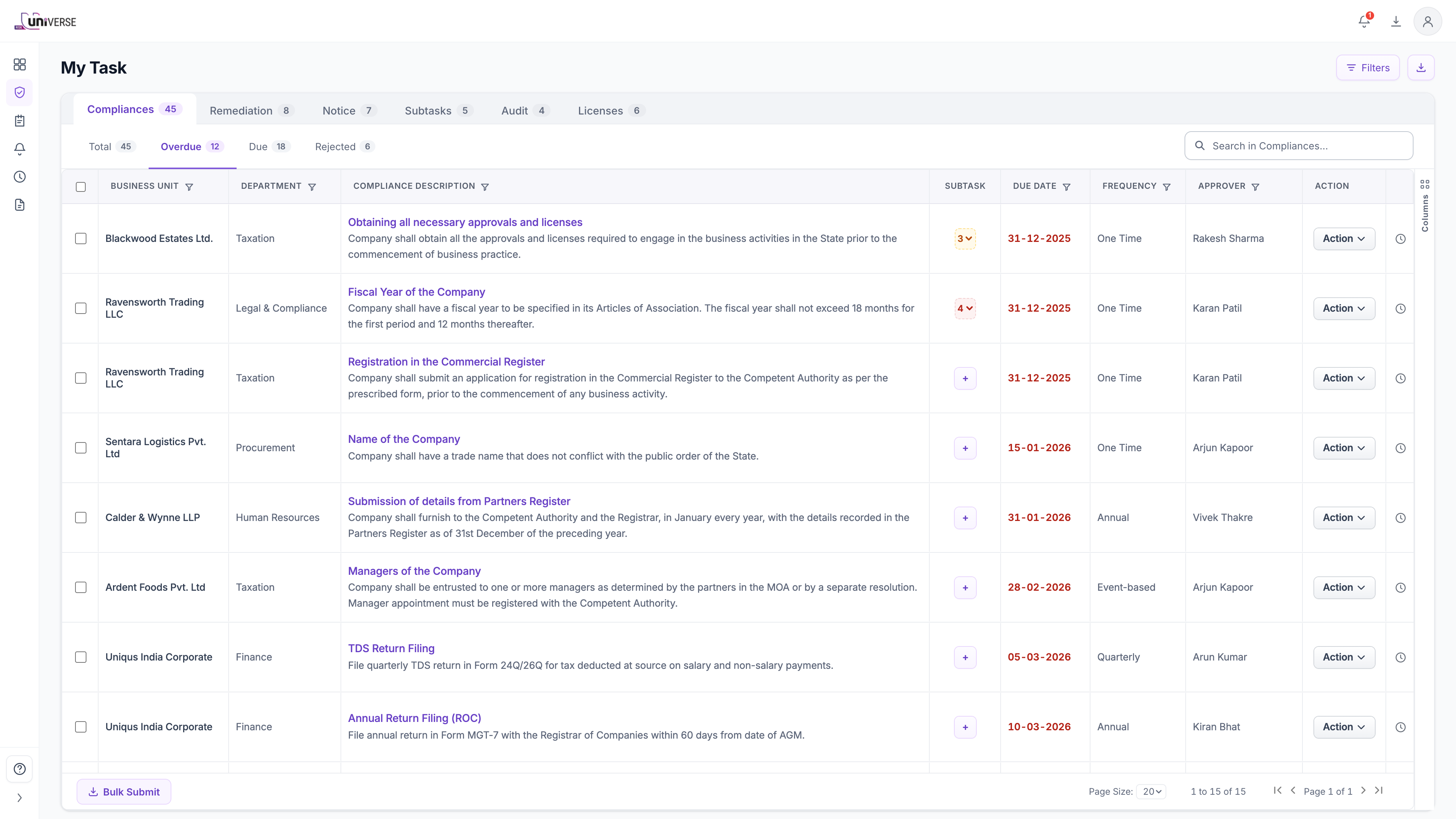
For owners, putting all task types into one long list made it hard to scan. Some columns were useful only for certain tasks.
For reviewers, submissions didn't provide enough information about each task to judge the evidence.
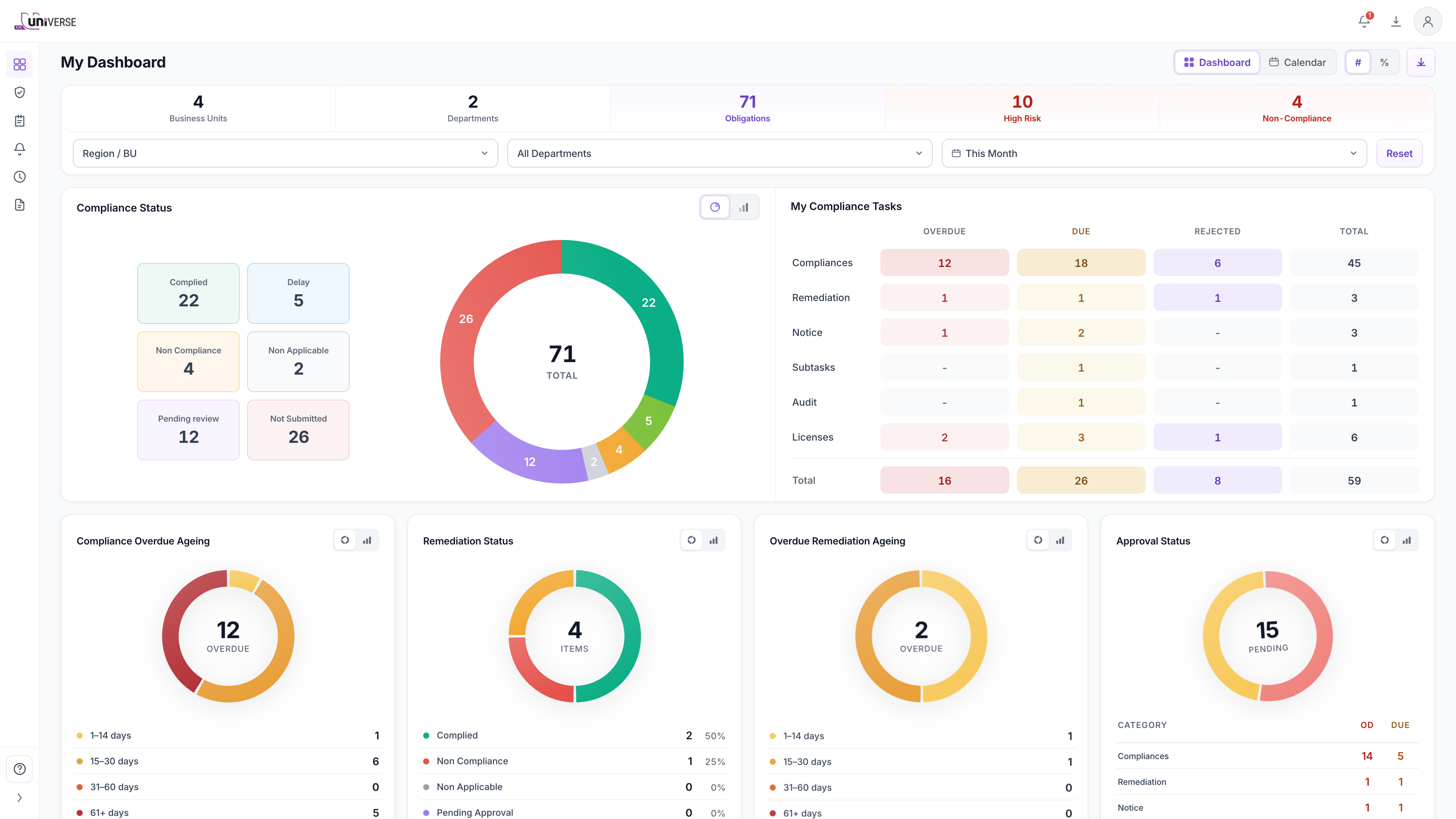
That led me to split the workflow by task type: Compliance, Remediation, Notice, Subtasks, Audit and Licences.
Making the trade-off visible
That decision created real pushback. Engineering had planned for one list, and splitting the workflow by task type meant changing how the system loaded the task data.
I used the working frontend to walk through a 100+ task scenario. The list was hard to scan because different task types were mixed together and some columns didn't apply to every task.
The restructure still meant extra engineering work, but the walkthrough showed why it was worth doing. We went ahead with the change, and it shipped.
Task type helped, but urgency was still hidden
Splitting by task type made the list easier to scan, but it still wasn't clear what needed attention first.
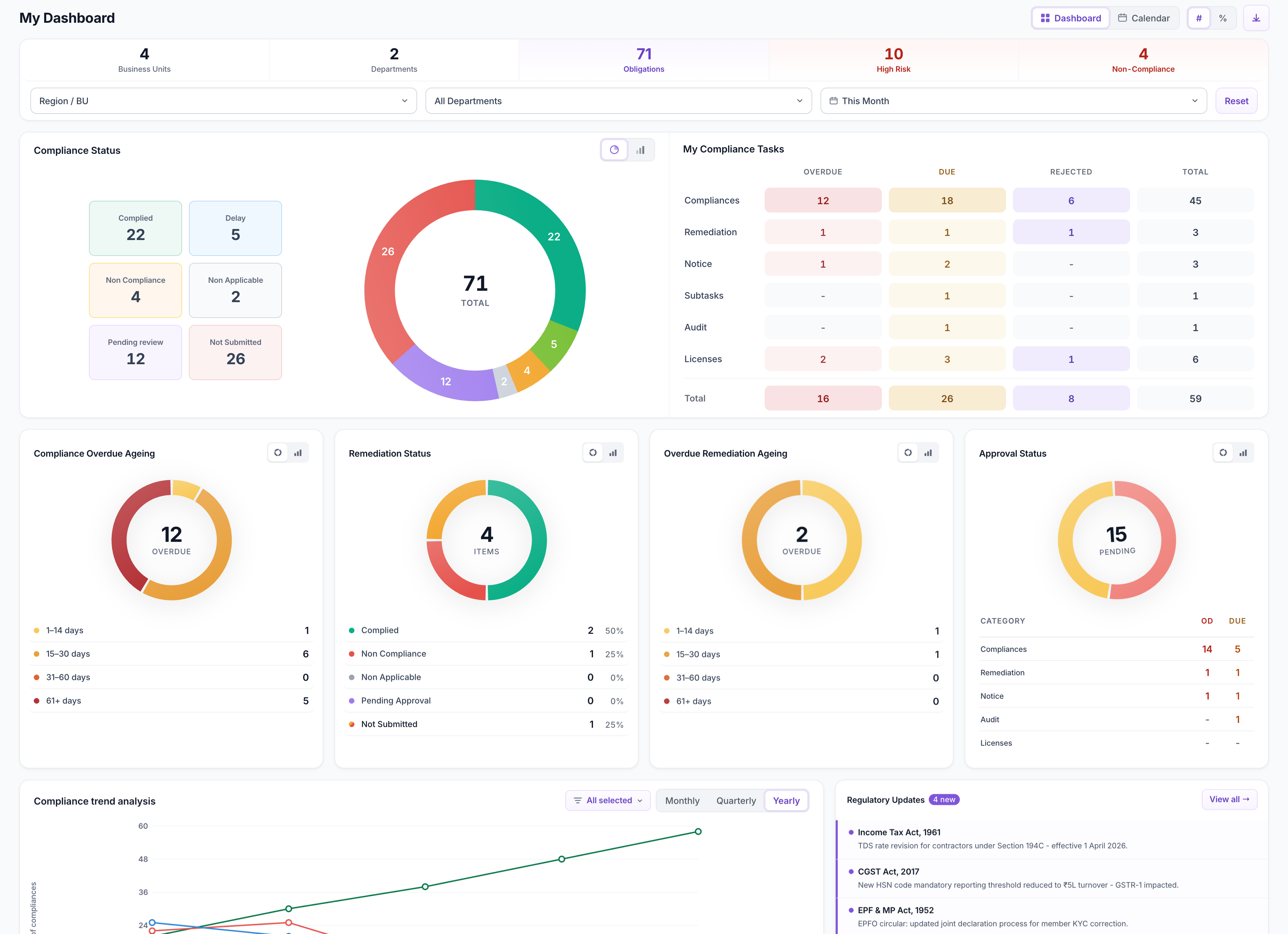
I added a second level under each type: Total by default, then Overdue, Due and Rejected.
I carried the same urgency breakdown into the dashboard, so owners could see what needed attention before opening the task list.
03 · SUBMISSION + REVIEW
Different outcomes need different information
A compliance task can end as Complied, Not Complied or Not Applicable. The first version used the same fields for all three, making submissions harder to review. I changed the form so each outcome asks only for the information it needs.
Complied
A completion date and evidence are required. Comments are optional because the evidence is the primary record.
Not Complied
A reason is required, while evidence is optional because the explanation itself may be sufficient. Remediation can also be raised in the same workflow.
Not Applicable
Only a justification is required, so I kept the form minimal.
What the reviewer sees
Reviewers work through submissions from across the team. They see the exact record the owner submitted, including the outcome, date, comments and evidence, and can approve or reject it without editing the submission.
Keeping submission and review separate
When a reviewer opens a submission, the Submitter's Response stays read-only and the Reviewer's Action is recorded separately. That keeps the original submission intact and makes it clear what was submitted and how it was reviewed.
Review depth varies by client, so I designed the approval flow to support up to six configurable review levels.
04 · AI-ASSISTED REVIEW
AI flags the evidence, reviewers still decide
Reviewers already had a lot of evidence to assess. The AI team built the document-verification capability, but presenting its findings as another written summary would give reviewers more to read.
I worked with the compliance practitioner to decide how those findings should appear during review. We defined three signals: Looks Good, Likely Incorrect and Needs Attention. Each suggests a next step: proceed, consider rejection or investigate further. The AI flags potential issues, but the reviewer examines the evidence and makes the final decision.
05 · BUILT + SHIPPED
The working frontend carried through to production
Engineers added the APIs and remaining production logic to the frontend I built in Claude Code.
The workflow has been live in production since 10 October 2026, and the same build is also used to demo the platform to prospective clients in the Middle East.
06 · CLOSING NOTES
After launch
ACROSS PRODUCTS
The configurable review logic was later reused in Control Management and Risk Management, both of which also needed multi-level review.
WHAT I’D WATCH NEXT